Why Your Listing Doesn’t Appear When You Search Your Own Business Name
There is nothing more infuriating for a business owner than typing your exact brand name into Google and seeing… nothing. Or worse, seeing your direct competitor across the street sitting in the spot that belongs to you. You’ve put in the work, you’ve served the customers in the Greater Northampton Area, and yet, the “Visibility Gap” has swallowed your profile whole. As a Local SEO consultant, I see this daily. The reality is that Google’s algorithm doesn’t care that you pay the rent at that address; it cares about Relevance, Proximity, and Prominence. If you aren’t hitting the specific technical benchmarks required by the algorithm, your business remains a ghost. This isn’t just about “filling out your profile” – it’s about understanding the deep-seated diagnostic reasons why is my google business profile not ranking even for its own name.
The “Invisible” Profile: Why Is My Google Business Profile Not Ranking Due to Violations?
The most common reason for a total disappearance is a breach of Google’s strict (and often shifting) guidelines. If your Business Profile violates these rules, it becomes disabled or suspended and won’t show to other users. In my experience, many businesses in the service industry – plumbers, roofers, and HVAC specialists – try to “optimize” their names by adding keywords like “Best Northampton Plumber” to their actual business name. This is a primary trigger for a suspension. Google’s AI is now highly sophisticated at detecting “Create Agency” style generic names that don’t match the legal entity registered with the government.
Beyond naming conventions, your verification status is the foundation of your visibility. If you haven’t completed the video verification or if your postcard was lost in the mail three years ago, you simply do not exist in the local index. Furthermore, Google has been purging profiles associated with virtual offices or P.O. boxes. If your business location is a shared co-working space without permanent signage, you are likely being filtered out. To navigate these hurdles, sophisticated google business profile optimization is required to ensure your data is clean and compliant before you even think about aggressive ranking strategies. Without a “Verified” and “Live” status, no amount of SEO will bring you back from the dead.
The Proximity Paradox: Why You Can’t See Yourself from Home
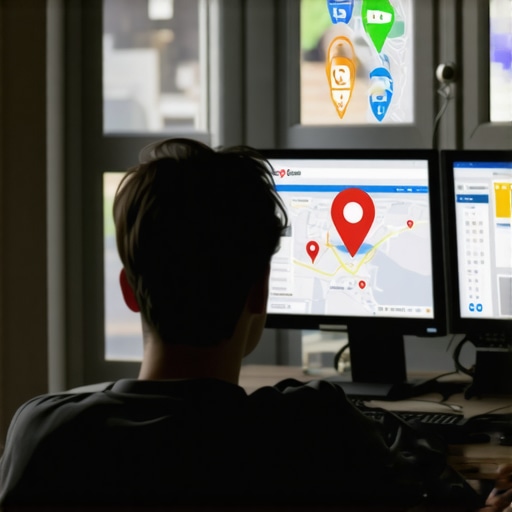
One of the most misunderstood aspects of local search is the role of the searcher’s physical location. I often have clients call me from their living rooms at 8:00 PM complaining that their shop doesn’t show up. When I check from my office in Northampton, they are right there in the Top 3. This is the Proximity Paradox. Google uses the GPS coordinates of the mobile device or the IP address of the desktop to determine which results are most convenient for the user. If you are searching from a suburb five miles away from your actual storefront, Google may prioritize a closer (albeit potentially lower quality) competitor to satisfy the “proximity” pillar of the algorithm.
This is why The Truth About Why Your Map Rank Tracker Never Matches Real Search Results is so critical to understand. Your visibility is not a static point; it is a “heat map” that expands and contracts based on competition and searcher intent. If your business is in a highly competitive area, your “ranking radius” might only be two or three blocks for certain terms. To combat this, you need to prove to Google that your “Relevance” and “Prominence” are high enough to override the proximity of a closer competitor. This involves more than just a basic listing; it requires a dedicated google maps ranking service that builds authority through localized content and geo-tagged data points.
The “Brand Name” Trap and Entity Ambiguity
If your business is named “Main Street Pizza” or “Elite Roofing,” you are fighting an uphill battle against “Entity Ambiguity.” Google’s job is to provide the most helpful result. If there are four businesses with similar names in a 20-mile radius, the algorithm has to decide which one you actually want. If you haven’t clearly defined your “Entity” through schema markup on your website and consistent citations across the web, Google might default to the business with the most reviews or the oldest domain. This is where local seo tools become indispensable. They allow you to audit how Google perceives your brand across the entire digital ecosystem.
Relevance isn’t just about having the right words on your profile; it’s about the “connectedness” of your data. If your website mentions Northampton, but your GBP mentions a specific neighborhood like Abington or Kingsthorpe, Google might get confused. This confusion leads to the “More Places” filter. You might find that you aren’t actually missing, but you are being suppressed. This is a common symptom discussed in our guide on Why Your Business Remains Hidden Behind the More Places Button Instead of the Top 3. To fix this, you must anchor your brand name to a specific, undeniable location and service category that leaves zero room for algorithmic doubt.
Data Integrity: The Cost of a Single Typo
In the world of Local SEO, your NAP (Name, Address, Phone Number) is your digital fingerprint. Even a minor discrepancy can cause a collapse in “Maps Trust.” If your GBP says “123 Main St, Suite 4,” but your Yelp profile says “123 Main Street” (missing the suite), Google’s confidence in your location drops. To you, it’s the same place. To an algorithm built on mathematical certainty, it’s a conflict. This is why a gmb ranking service focuses so heavily on citation cleanup. Consistency across the web signals to Google that your business is a legitimate, physical entity that can be trusted.
I cannot stress enough Why a Single Suite Number Typo is Still Tanking Your Local Visibility. When Google crawls the web and finds conflicting data, it doesn’t guess which one is right – it simply lowers your prominence. This is a safeguard against spam and fraudulent listings. To rank google business profile effectively, you must perform a deep-dive audit of every directory, social profile, and map platform where your business is mentioned. If your data integrity is compromised, your brand name search will continue to fail because Google isn’t 100% sure where you are actually located.
2026 Ranking Signals: Why Is My Google Business Profile Not Ranking for Modern Trust?
As we move toward the 2026 algorithm standards, Google is shifting away from simple keyword matching and toward “Maps Trust” and real-world signals. The era of AI-generated listings and bulk-bought citations is over. Google is now prioritizing “Prominence” based on how many high-authority, local websites link to you and the genuine sentiment of your customer reviews. If your business hasn’t updated its profile in months, or if you aren’t actively generating fresh, localized content, you are losing the “freshness” signal that the 2026 update demands. You need to rank higher on google maps by proving you are an active participant in your local economy.
One of the biggest shifts we are seeing is the purging of AI-managed profiles that lack human interaction signals. To stay ahead, you must Fix These 5 Hidden Maps Trust Gaps Before the 2026 Update. These gaps often include missing high-resolution photos of your physical storefront, a lack of “Owner Responses” to reviews, and a failure to utilize the “Google Posts” feature effectively. Furthermore, the algorithm is now weighting “Real-World Citations” – mentions from local newspapers, chamber of commerce sites, and neighborhood blogs – much higher than generic directory listings. As I often tell my clients, Why 7 Real-World Citations Beat 100 AI Listings in 2026 is the secret to long-term brand dominance.
Diagnostic Checklist: How to Find Your Missing Listing
If you still can’t find your listing, it’s time to stop guessing and start auditing. Follow this technical checklist to identify the bottleneck:
- Check Your Dashboard: Log into your Google Business Profile manager. If you see “Suspended,” “Disabled,” or “Verification Required,” you have your answer.
- Incognito Search: Use a clean incognito window to search for your brand name + city (e.g., “Tim Capper Northampton”). This removes your personal search history from the equation.
- The “More Places” Test: Search for your category (e.g., “Plumber Northampton”). Click “More Places.” If you are on page 3 or 4, you have a Prominence issue, not a visibility issue. Use google maps seo tools to see where you actually stand.
- Check for Filtering: If another business at your address (like a suite mate) has the same category, Google may be filtering one of you out. This is a common reason Why Your Shop is Stuck at Rank 4 in the Google Map Pack.
- Audit Your Data: Use The 10-Minute Audit Move to Verify Your Google Business Profile Data to ensure every character of your NAP is identical across the web.
By following these steps, you can move from frustration to a targeted strategy. Most “invisible” listings are simply suffering from a lack of technical clarity that gmb seo tools can easily identify.
Conclusion: Reclaiming Your Map Presence
Your Google Business Profile is the most valuable digital asset your local business owns. When it disappears for a brand name search, it is a signal that Google has lost trust in your data, your location, or your authority. Whether it’s a proximity issue, a data discrepancy, or a failure to keep up with the 2026 “Maps Trust” signals, these problems are technical and, therefore, fixable. Don’t let your competitors steal the traffic that belongs to your brand. Perform a deep audit, clean up your citations, and use professional seo tools for local businesses to reclaim your spot at the top of the Map Pack. The “Visibility Gap” only stays open if you let it.