Why Your Google Maps Ads Are Getting Clicks But No Calls
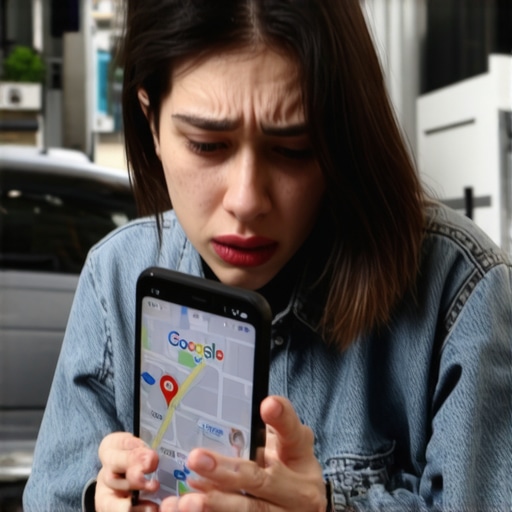
There is nothing more frustrating for a local business owner or a marketing manager than seeing a Google Ads dashboard filled with clicks, only to be met with a silent phone. You’ve invested heavily in google maps marketing, your CTR (click-through rate) is healthy, and Google is happily taking your budget every day. Yet, the high-intent leads you were promised are nowhere to be found. At Inbound Revenue, we call these “ghost clicks” – vanity metrics that suggest engagement but fail to drive revenue.
As we navigate the landscape of 2026, the local search environment has become increasingly sophisticated. Simply having a budget isn’t enough to dominate the Local Pack. If you are getting clicks but no calls, you don’t have a traffic problem; you have a “Maps Trust” and conversion problem. In this diagnostic guide, I’ll break down exactly why your ads are leaking potential customers and how to transform your Google Business Profile (GBP) into a lead-generation machine that actually converts.
Benchmarking Your Performance: What is a “Good” Conversion Rate?
Before you tear down your campaigns, you need to know where you stand. A “good” conversion rate varies significantly by industry. According to the FirstPageSage 2026 Report, the average Google Ads conversion rate across all industries sits at approximately 4.8%. However, in the realm of local services, the expectations are – and should be – much higher.
For high-urgency services like HVAC or emergency plumbing, conversion rates often average around 6.5%. Conversely, in more research-heavy sectors like IT services or specialized legal consulting, you might see rates as low as 1.8%. If your current campaign is hovering below these industry benchmarks, you are suffering from a “conversion gap.”
This gap is the distance between a user’s intent and your profile’s ability to satisfy that intent immediately. In 2026, users are less patient than ever. They are often interacting with your ad via AI-powered overlays or voice assistants. If your data isn’t perfectly aligned, they won’t just skip your ad – they’ll bounce to a competitor who appears more reliable. To stop the bleeding, you must stop tracking rankings and start tracking where your local leads actually come from. Only by understanding the specific touchpoints of a conversion can you begin to optimize for calls rather than just clicks.
Reason 1: The “Expectation vs. Reality” Gap in Your GBP Profile
The biggest culprit behind clicks that don’t convert is a lack of google business profile optimization. When a user clicks your Google Maps ad, they are looking for immediate validation. If your ad headline promises “24/7 Emergency Service” but your profile lists your hours as “Closed” at 6:00 PM, the user will click out of habit or curiosity and then immediately bounce when they see the discrepancy.
Google’s ranking algorithm for the map pack – and by extension, the quality score of your Maps ads – relies on three pillars: Proximity, Relevance, and Prominence. However, from a user perspective, the most important factor is Trust. If your GBP profile is sparse, lacks recent photos, or has a low star rating, the click is essentially a “rejection click.” They clicked to see if you were a viable option, realized you weren’t, and left.
To fix this, you need to ensure your profile signals match your ad copy perfectly. This is where a professional google maps ranking service becomes invaluable. Such services help align your relevance signals so that when Google serves your ad, the underlying profile reinforces the promise made in the ad. If you’re advertising a specific service, ensure your GBP “Services” section is fully built out with descriptions that mirror your ad keywords. This alignment is the foundation of google business profile seo.
Reason 2: Missing or Broken “Click-to-Call” Functionality
It sounds elementary, but a staggering number of local ads fail because of technical friction. In 2026, the majority of Google Maps interactions happen on mobile devices or through integrated vehicle interfaces. If your “Call” button isn’t functioning correctly, or if it leads to an automated phone tree that is too complex, the lead is lost.
A common technical error is the “Ghost Number” issue, where a tracking number used for attribution isn’t properly formatted for mobile browsers. Furthermore, if your business hasn’t addressed why 2026 voice search ignores your messy NAP consistency data, you might find that AI agents are blocking the call connection because they cannot verify the legitimacy of the phone number.
Audit your “Click-to-Call” functionality weekly. Ensure that the number displayed in your Google Maps ad matches the number on your GBP and your website. Any discrepancy in Name, Address, or Phone (NAP) data creates a “trust rift” that Google’s AI agents – and savvy users – will detect. If the user feels even a moment of hesitation regarding your contact info, they will move to the next pin on the map.
Reason 3: Poor Keyword Intent and Negative Keyword Neglect
Are you paying for “how-to” clicks? Many local businesses use broad match keywords in their google maps marketing campaigns, thinking it will increase google business profile visibility. While it does increase visibility, it often attracts the wrong kind of intent.
For example, if you are a personal injury attorney and you bid on the broad keyword “car accidents,” you might get clicks from people looking for “how to report a car accident” or “car accident photos.” These users have no intention of calling a lawyer at that moment. They click your ad, realize you are a law firm, and leave. You just paid $50 for a “how-to” researcher.
To combat this, you must leverage advanced local seo tools to identify high-intent, “near me” keywords and aggressively build out your negative keyword list. You should be excluding terms like “jobs,” “salary,” “DIY,” “manual,” and “training.” By tightening your targeting, you ensure that the clicks you do pay for are from users who are ready to pick up the phone. This is a critical component of local map pack seo: it’s not about being seen by everyone; it’s about being seen by the person with a problem you can solve right now.
Reason 4: The 2026 “Maps Trust” Factor
In 2026, Google has moved beyond simple keyword matching. The search engine now uses “Maps Trust Ranking” to determine which ads and organic profiles to prioritize. This trust is built through consistent data across the web, verified citations, and active engagement. If your profile looks like a “set it and forget it” project, your conversion rates will suffer.
Google’s AI agents now prioritize profiles that demonstrate high activity and data integrity. If your business hasn’t updated its photos in six months or hasn’t responded to a review in weeks, your “Trust Score” drops. Users see this lack of activity as a sign of a business that might be out of touch or even closed. You must fix 4 maps trust ranking signals Google prioritizes in 2026 to ensure your ad spend isn’t wasted on a profile that Google (and users) deems unreliable.
Using google maps seo tools to monitor your citations and local social signals is no longer optional. It is a requirement for anyone serious about google maps lead generation. When your “Trust Factor” is high, Google rewards you with lower CPCs (cost-per-click) and higher ad placements, while users reward you with their business because you appear as the most authoritative option in their immediate vicinity.
How to Audit Your Google Maps Ads for Conversion (Checklist)
If your phone isn’t ringing, run through this diagnostic checklist immediately. Paying for ads on a broken profile is like pouring water into a leaky bucket. Use these steps to plug the holes:
- Audit Your Ad Schedule: Are you running ads when no one is there to answer the phone? If you aren’t a 24/7 business, stop running Maps ads outside of office hours. A missed call is a wasted click.
- Verify NAP Consistency: Check for the 3 NAP sync gaps that confuse Google’s 2026 AI search bot. Ensure your name, address, and phone number are identical across your website, GBP, and all local directories.
- Refresh Your Visuals: Upload at least three new high-quality photos to your GBP every month. Profiles with recent photos see a 35% higher click-to-call conversion rate.
- Review Response Strategy: Respond to every review – both positive and negative – within 24 hours. This signals “Maps Trust” to both Google and potential leads.
- Check Mobile Load Speed: If your ad leads to a landing page rather than a call, that page must load in under 2 seconds on a mobile connection.
- Use Professional Support: If you’re overwhelmed, consider a google maps ranking service to handle the technical heavy lifting of google business profile optimization.
Conclusion & Call to Action
In the world of google maps marketing, clicks are a cost, but calls are an investment. If you are seeing high traffic but low engagement, it is time to stop chasing vanity metrics and start focusing on “Maps Trust.” By aligning your GBP profile with user intent, fixing technical call barriers, and tightening your keyword targeting, you can turn your silent phone into your most valuable asset.
Don’t let your budget disappear into the void of “ghost clicks.” Need leads for your clients or your own local service business? Reach out to Mark Kelly and the Inbound Revenue team to turn your clicks into customers. We specialize in high-performance Google Ads and Lead Generation that prioritizes ROI over empty stats.