Why Your Business Profile Appeal Was Rejected and How We Fixed the Evidence
It is the email that makes every business owner’s heart sink. You spent days gathering documents, photos, and licenses. You carefully filled out the Google Business Profile (GBP) appeal form. You waited the standard five business days, checking your inbox every hour. Then, the notification arrives: “Appeal Rejected.”
Since 2011, I have been in the trenches of local search. As Professor M (Goncalo Matthews), I have seen the evolution of Google’s verification systems from simple postcards to the complex, AI-driven gauntlet we face in 2026. A rejection today isn’t just a “no”; it is a signal that Google’s algorithm has flagged your business as a “trust risk.” In the current landscape, you often only get one real opportunity to re-appeal before your profile is permanently blacklisted, effectively erasing your local digital footprint.
In this guide, I’m going to pull back the curtain on why these rejections happen and, more importantly, how we fix the evidence to ensure your next attempt is a success. If you want to rank higher on google maps, you first have to prove to Google that you actually exist.
Section 1: The “Why”, Common Reasons for Appeal Rejection in 2026
The game changed significantly over the last year. Google’s AI spam filters are now more aggressive than they have ever been. We are no longer just dealing with human reviewers; we are dealing with a machine-learning model trained to identify patterns of “low-trust” behavior. Often, an appeal is rejected not because you aren’t a real business, but because your digital data is “messy.”
One of the most frustrating issues we’ve identified in late 2025 and early 2026 is a specific technical glitch in the Appeals Tool. In many cases, profiles are being submitted for review automatically – sometimes without the user even having the chance to attach their evidence. If you see a “Submitted” status but you didn’t upload your utility bills or licenses, you are likely a victim of this glitch. Without evidence, the AI triggers an immediate rejection.
Furthermore, many rejections stem from Why Your Google Maps Leads Dried Up After One Simple Address Edit. If you changed your address and then tried to appeal a suspension without first aligning your legal documents to that new location, the system sees a conflict. Google prioritizes data integrity over everything else. If your “official” evidence doesn’t match your profile data exactly, the rejection is automated and swift.
To ensure your profile is ready for the map pack, using a google business profile audit tool is essential to identify these hidden data conflicts before you hit the submit button.
Section 2: The Evidence Audit, What Google Actually Wants to See
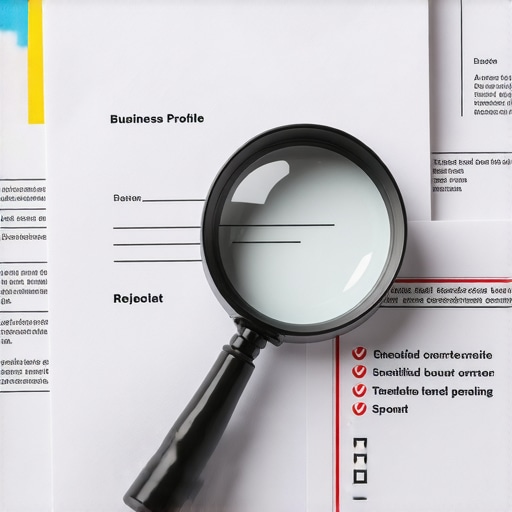
When Google asks for evidence, most business owners provide “enough” to prove they are a business. In 2026, “enough” is a recipe for failure. You need to provide irrefutable proof. The core of a successful appeal lies in the connection between your business name, your physical address, and your legal entity.
1. Utility Bills (The Golden Standard)
A utility bill is the most weighted piece of evidence. However, it must be a “hard” utility – electricity, water, gas, or a fixed landline internet bill. Mobile phone bills are frequently ignored because they aren’t tied to a physical structure. The Name, Address, and Phone (NAP) on the bill must match your GBP exactly. If your bill says “Smith Plumbing” but your GBP says “Smith Plumbing & Drain Cleaning,” you will be rejected. This is where How a Simple Suite Number Typo Can Tank Your Local Rankings becomes a nightmare for business owners.
2. Business Licenses and Registrations
Google cross-references your submission with Secretary of State databases and local municipal records. If your business license is expired, or if it’s registered to your home address while your GBP is at a commercial office, the “Trust Score” of your appeal drops to zero. Many agencies use local seo software to track these trust gaps across various government databases.
3. Permanent Signage and the “Street View” Check
Google’s reviewers (and their AI) use Street View and satellite imagery to verify your location. If you are claiming a physical office, but the Street View shows a residential house or a vacant lot, you must provide photos of permanent signage. A vinyl banner hung with zip ties or a piece of paper taped to a door is no longer accepted. Google wants to see etched glass, metal plaques, or monument signs. This is especially difficult for businesses in co-working spaces. Without dedicated, permanent signage in the lobby or on the door, your appeal is likely DOA.
Section 3: The 2026 Trust Signals, Beyond the Paperwork
In 2026, “Maps Trust Ranking” is the new metric that determines whether a profile stays live or gets suspended. This ranking isn’t just about your documents; it’s about your business’s overall digital footprint. With the rise of Search Generative Experience (SGE) and voice search, Google is looking for “corroborating signals” from across the web.
Google’s AI now scans for 3 New Maps Trust Signals Google Prioritizes for 2026 Search. These signals include real-world mentions in local news, niche-specific directories, and even social media check-ins. A profile that has seven high-quality, aged citations will always beat a profile with 100 AI-generated, low-quality listings. The goal is to show Google that you are a pillar of your local community, not just a digital ghost.
Furthermore, Google is looking at how users interact with your brand outside of the Maps interface. If people are searching for your specific brand name + your city, it builds a “Trust Moat” around your profile. If you want to rank google business profile assets effectively, you must focus on these holistic trust signals rather than just the technical aspects of the appeal form.
Section 4: Step-by-Step, Fixing the Evidence for Your Final Re-Appeal
If your first appeal was rejected, you are likely on your “final shot.” Here is the tactical framework we use to fix the evidence and secure a reinstatement.
Step 1: The NAP Sanitization
Before you even open the appeal tool, you must audit your website, your social profiles, and your major citations. Ensure that every single one uses the exact same address format, including suite numbers and abbreviations (e.g., “St” vs “Street”). If you find inconsistencies, fix them and wait for Google to re-crawl the pages. Using google business profile seo tools can help you identify these discrepancies quickly.
Step 2: The Video Verification Masterclass
In 2026, video verification is often the final hurdle. To pass, your video must be one continuous shot. Start outside to show the street sign and the building exterior. Show the permanent signage. Walk through the door, show the interior of the office, and most importantly, show proof of management. This means opening a locked door with a key or logging into your POS system. This proves you have physical access to the location.
Step 3: Correcting the “Technical Glitch”
If your previous appeal was submitted without evidence due to a glitch, you must mention this in the “additional comments” section of your re-appeal. Clearly state: “The previous submission was processed without the opportunity to provide documentation due to a technical error. Please find the attached legal evidence for [Business Name].”
If you are struggling with the technicalities, hiring a google maps ranking service that understands the nuances of the 2026 algorithm can save your business from permanent removal.
Section 5: Recovering Your Rankings After Reinstatement
Getting your profile back is a victory, but it is only half the battle. Many businesses find that once they are reinstated, they have been “ghosted.” Their rankings have plummeted, and they are no longer appearing in the top 3-pack. This happens because the suspension “breaks” the momentum of your profile’s authority.
To recover, you need to implement The Exact Local Tactics We Use to Rank Roofers in Storm-Chasing Markets. This involves a heavy push on hyperlocal content and fresh, high-quality reviews. You need to signal to Google that the business is not only back but is more active than ever. Use google maps seo tools to monitor your rankings daily and identify which keywords are lagging.
Focus on:
- Hyperlocal Posts: Post updates about local events or projects you’ve completed in specific neighborhoods.
- Niche Citations: Get listed on industry-specific directories that Google trusts for your particular category.
- Engagement: Respond to all reviews (old and new) to show the algorithm that the profile is being actively managed.
Conclusion: Don’t Fight the Algorithm Alone
The Google Business Profile ecosystem is more complex today than it has ever been. A rejected appeal is a serious threat to your business’s survival. By fixing your evidence, aligning your NAP, and focusing on high-level trust signals, you can overcome even the most stubborn rejections. However, the “one-shot” nature of second appeals means there is no room for error.
Don’t leave your local visibility to chance. Before you submit your next appeal, ensure your data is flawless. I invite you to use the expert GBP ranking tools available at SEO Viper to audit your local health and ensure your evidence is bulletproof. Remember, in the world of Google Maps, trust is the only currency that matters.